
Input and Output Devices Cheat Sheet
31 Oct 2026
Quick answer
A quick revision cheat sheet on input and output devices for SSC, Banking, Railway and state computer-awareness sections. It lists the common input devices, output devices and input-output devices, the types of printers and monitors, the special scanners OMR, OCR and MICR, and the full forms most often asked in exams.
Input and Output Devices Cheat Sheet
Quick Revision
An input device sends data and instructions into the computer. An output device brings the processed result out to the user. A few devices do both and are called input-output (I/O) devices.
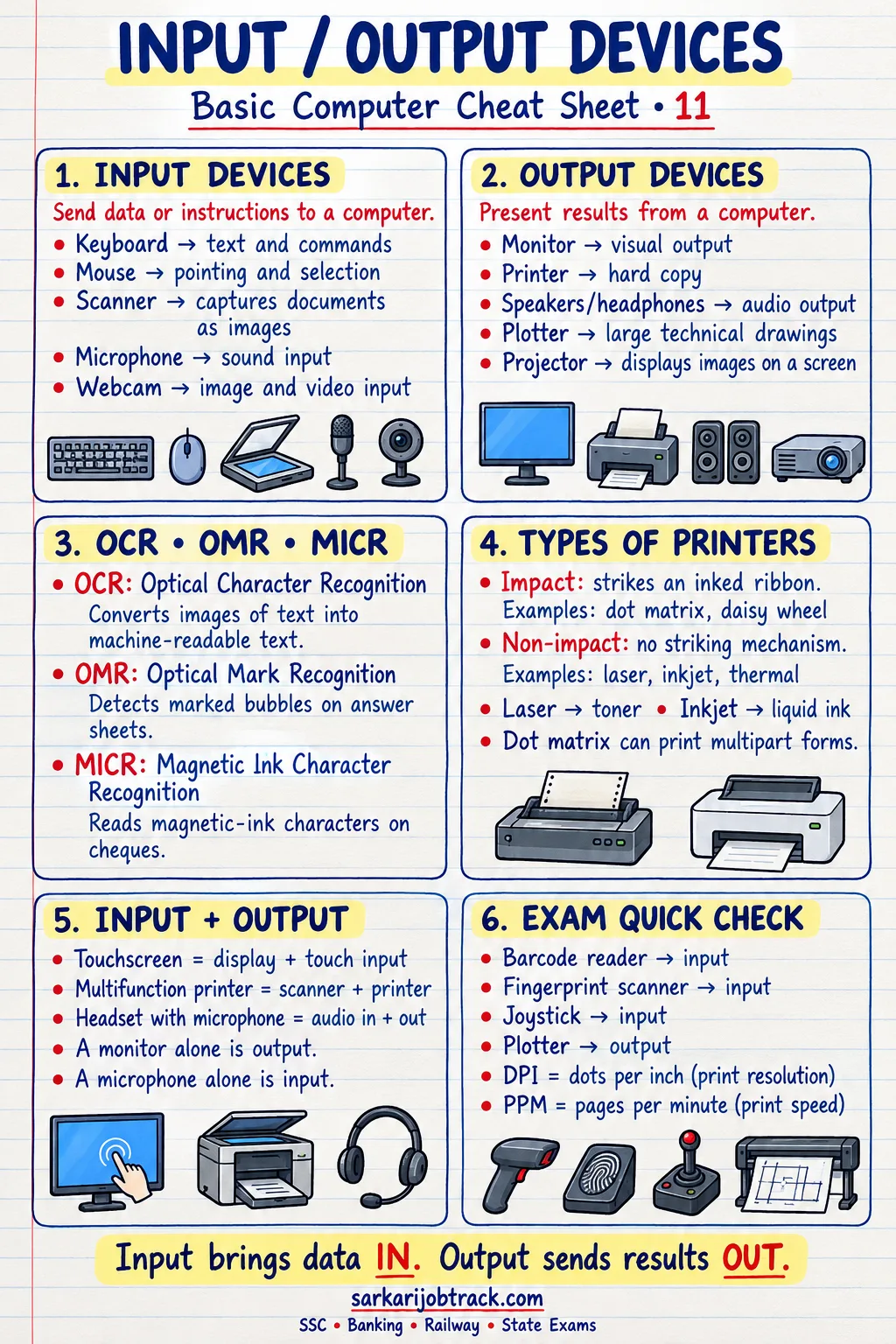
Ready to practise? Take the Input / Output Devices quiz
1. Input Devices
| Device | Use |
|---|---|
| Keyboard | Typing text, numbers and commands |
| Mouse | Pointing, clicking (a pointing device) |
| Scanner | Copying an image or document into the PC |
| Microphone | Entering sound / voice |
| Joystick | Playing games, controlling movement |
| Light pen | Drawing or selecting directly on screen |
| Barcode reader | Reading product barcodes |
| Webcam | Capturing live video |
| Touchpad | Pointing on laptops |
Pointing devices: mouse, touchpad, trackball, joystick, light pen.
2. Special Scanners (often asked)
| Scanner | Full form | Where it is used |
|---|---|---|
| OMR | Optical Mark Recognition | Reading OMR exam answer sheets |
| OCR | Optical Character Recognition | Reading printed text |
| MICR | Magnetic Ink Character Recognition | Reading the numbers on bank cheques |
3. Output Devices
| Device | Use |
|---|---|
| Monitor | Shows output on screen (soft copy) |
| Printer | Prints on paper (hard copy) |
| Speaker | Gives sound output |
| Plotter | Prints large drawings and maps |
| Projector | Shows the screen on a large surface |
- Soft copy — output on screen (monitor).
- Hard copy — output on paper (printer, plotter).
4. Types of Printers
Impact printers strike the paper (noisy):
- Dot-matrix printer — prints using a grid of pins.
Non-impact printers do not strike the paper (quiet):
- Inkjet printer — sprays tiny drops of ink.
- Laser printer — uses a laser and toner; fast and sharp.
- Thermal printer — uses heat (e.g. billing machines).
5. Types of Monitors
| Monitor | Meaning |
|---|---|
| CRT | Cathode Ray Tube — old, bulky |
| LCD | Liquid Crystal Display — thin, flat |
| LED | Light Emitting Diode — LCD with LED backlight, brighter |
A monitor's sharpness depends on its resolution (number of pixels) and its refresh rate.
6. Input-Output (I/O) Devices
Some devices both send data in and bring data out:
- Touchscreen — accepts touch (input) and shows the display (output).
- Modem — sends and receives data over a line.
- Headset — microphone (input) plus earphones (output).
7. Common Full Forms
| Term | Full form |
|---|---|
| OMR | Optical Mark Recognition |
| OCR | Optical Character Recognition |
| MICR | Magnetic Ink Character Recognition |
| CRT | Cathode Ray Tube |
| LCD | Liquid Crystal Display |
| LED | Light Emitting Diode |
8. Exam Quick Tips
- MICR is tied to bank cheques and OMR to answer sheets — a very common question.
- A monitor gives a soft copy; a printer gives a hard copy.
- Dot-matrix is the only common impact printer; inkjet and laser are non-impact.
- A touchscreen and a modem are both input-output devices, not just input.
Keep revising with the rest of the Basic Computer section:
How this was made: Drafted with AI assistance; spot-checked by the editor on 31 October 2026.