
Internet and Email Cheat Sheet
31 Oct 2026
Quick answer
A quick revision cheat sheet on the internet and email for SSC, Banking, Railway and state computer-awareness sections. It explains the internet versus the World Wide Web, IP addresses, URLs and domains, the common protocols HTTP, FTP and SMTP, browsers and search engines, the parts of an email with To, Cc and Bcc, and the full forms most often asked.
Internet and Email Cheat Sheet
Quick Revision
The internet is a global network of connected computers. The World Wide Web (WWW) is the collection of websites and pages that we view over the internet — so the web is a service that runs on the internet, not the same thing as it.
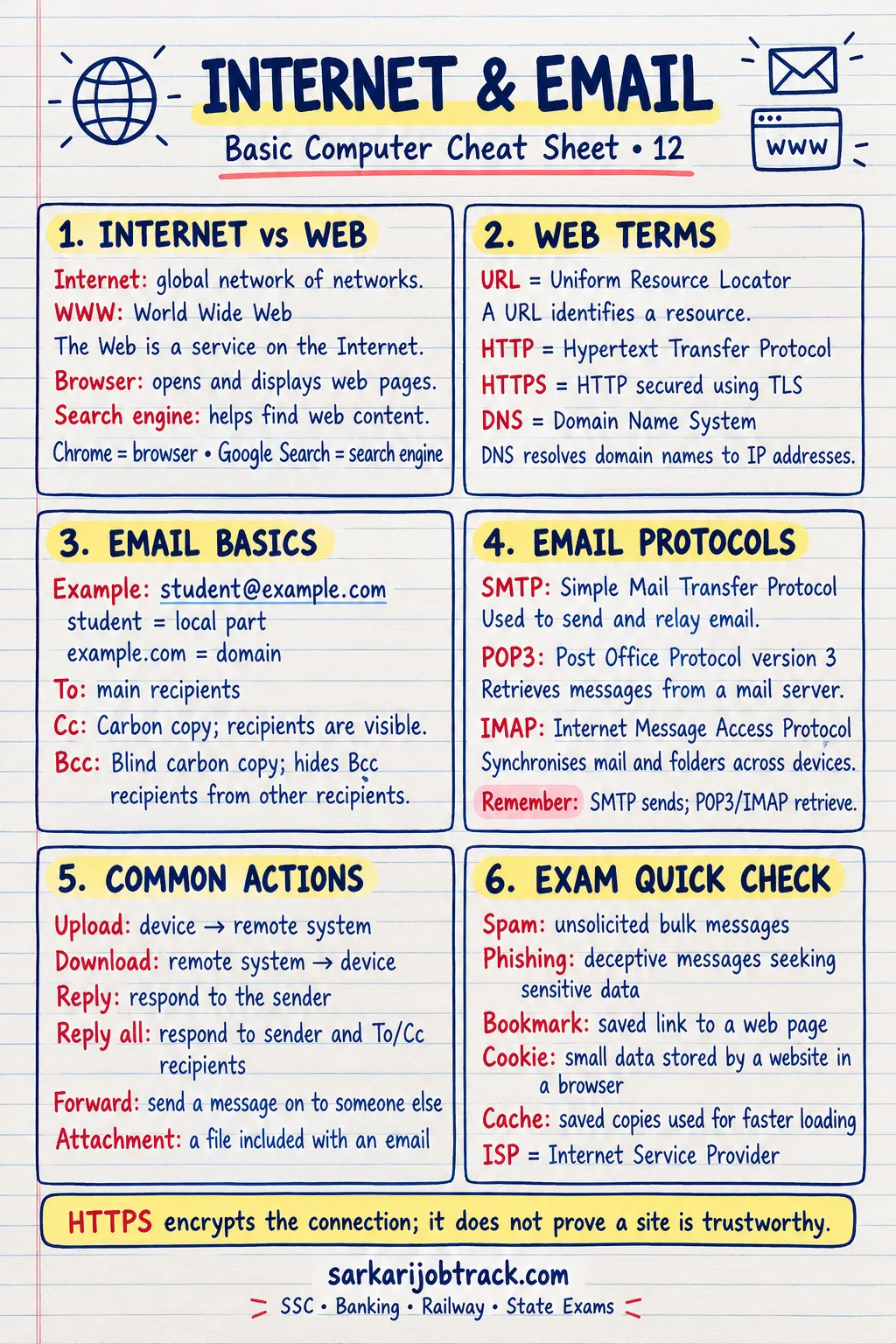
Ready to practise? Take the Internet and Email quiz
1. Internet vs World Wide Web
| Internet | World Wide Web (WWW) | |
|---|---|---|
| Meaning | Network of connected computers | Collection of web pages and sites |
| Started | 1969 (ARPANET) | 1989–1991 (Tim Berners-Lee) |
| Access | The infrastructure | A service that runs on it |
- ISP (Internet Service Provider) — the company that gives you internet access (e.g. Jio, Airtel).
2. Address of a Web Page
- IP address — a unique number that identifies a device, e.g.
192.168.1.1. - Domain name — an easy name for an IP address, e.g.
example.com. - URL (Uniform Resource Locator) — the full web address, e.g.
https://example.com/page. - DNS (Domain Name System) — translates a domain name into its IP address.
Common domain endings:
| Ending | Used by |
|---|---|
| .com | Commercial organisations |
| .org | Non-profit organisations |
| .gov | Government |
| .edu | Educational institutions |
| .in | India (country code) |
3. Common Protocols
| Protocol | Full form | Used for |
|---|---|---|
| HTTP | HyperText Transfer Protocol | Viewing web pages |
| HTTPS | HTTP Secure | Secure web pages |
| FTP | File Transfer Protocol | Transferring files |
| TCP/IP | Transmission Control Protocol / Internet Protocol | Core of the internet |
| SMTP | Simple Mail Transfer Protocol | Sending email |
| POP3 / IMAP | Post Office Protocol / Internet Message Access Protocol | Receiving email |
4. Browser vs Search Engine
- Web browser — software that opens and displays web pages. Examples: Chrome, Firefox, Edge.
- Search engine — a website that finds information for you. Examples: Google, Bing.
A browser is a program on your device; a search engine is a website you visit through a browser.
5. Email Basics
An email address has the form name@domain, for example rahul@gmail.com. The @ sign separates the username from the domain.
| Field | Meaning |
|---|---|
| To | The main recipient |
| Cc | Carbon copy — others who should see it |
| Bcc | Blind carbon copy — hidden recipients |
| Subject | A short title for the message |
| Attachment | A file sent along with the email |
- SMTP sends email; POP3 and IMAP receive it.
- Spam is unwanted bulk email.
6. Useful Web Terms
- Hyperlink — clickable text or image that opens another page.
- Download — bring a file from the internet to your device.
- Upload — send a file from your device to the internet.
- Cookie — a small file a website saves to remember you.
7. Exam Quick Tips
- The internet is the network; the WWW is the pages on it — do not treat them as the same.
- HTTP is for web pages, FTP for files, SMTP for sending email.
- SMTP sends, while POP3/IMAP receive — a common question.
- A browser is a program; a search engine is a website.
Keep revising with the rest of the Basic Computer section:
How this was made: Drafted with AI assistance; spot-checked by the editor on 31 October 2026.