
Operating Systems Cheat Sheet
31 Oct 2026
Quick answer
A quick revision cheat sheet on operating systems for SSC, Banking, Railway and state computer-awareness sections. It covers what an operating system does, its main functions, the types of operating systems, common examples such as Windows, Linux and Android, the GUI versus CLI difference, booting, and key terms like kernel and virtual memory.
Operating Systems Cheat Sheet
Quick Revision
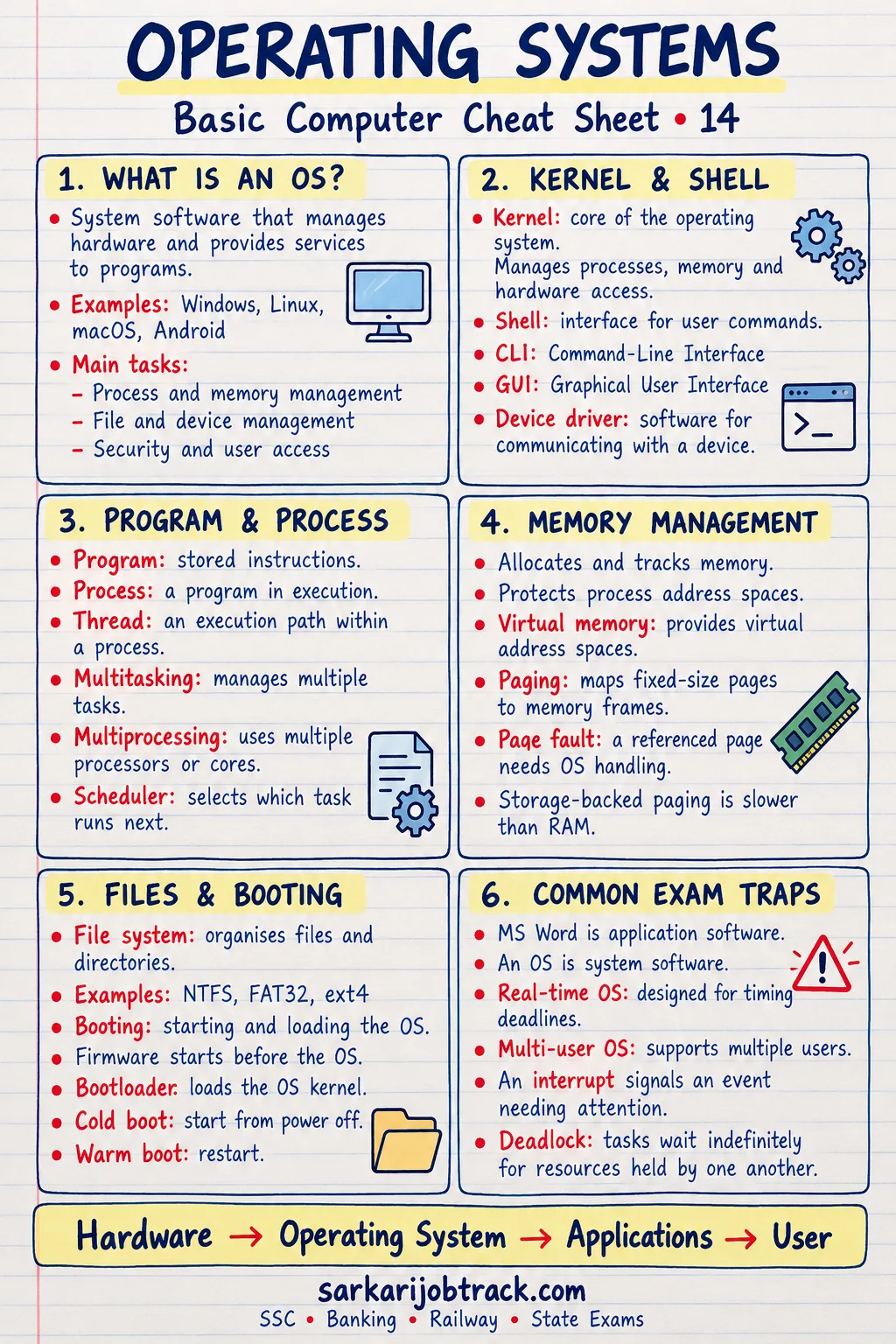
An operating system (OS) is the system software that controls the computer's hardware and resources, and acts as the bridge between the user and the machine. Without an OS, a computer cannot run application software.
Ready to practise? Take the Operating Systems quiz
1. Main Functions of an Operating System
- Process management — runs and schedules programs.
- Memory management — allots and frees RAM for programs.
- File management — creates, stores, and organises files and folders.
- Device management — controls input and output devices through drivers.
- Security — protects the system with user accounts and passwords.
- User interface — lets the user interact with the machine.
2. Types of Operating Systems
| Type | What it does |
|---|---|
| Batch | Runs jobs in groups, with no direct interaction |
| Time-sharing | Many users share the CPU by turns |
| Real-time (RTOS) | Responds instantly; used in missiles, robotics |
| Distributed | Many computers work as one system |
| Multiprocessing | Uses two or more CPUs at once |
| Multitasking | Runs several tasks for one user at once |
| Single / Multi-user | Serves one user, or many users together |
3. Common Examples
| Operating system | Note |
|---|---|
| Windows | Most common on PCs; made by Microsoft |
| Linux | Open-source, free |
| macOS | Apple desktops and laptops |
| Unix | Multi-user, used on servers |
| Android | Mobile OS (based on Linux) |
| iOS | Apple's mobile OS |
Android and iOS are the leading mobile operating systems.
4. GUI vs CLI
| GUI | CLI | |
|---|---|---|
| Full form | Graphical User Interface | Command Line Interface |
| How you work | Click icons, menus, windows | Type text commands |
| Example | Windows desktop | MS-DOS, Linux terminal |
| Ease | Easy for beginners | Faster for experts |
5. Booting
Booting is starting up a computer and loading the operating system into memory.
- Cold boot — starting a computer that is switched off.
- Warm boot — restarting a computer that is already on.
- BIOS (Basic Input Output System) — firmware that starts the hardware.
- POST (Power-On Self-Test) — the self-check the computer runs at start-up.
6. Key Terms
- Kernel — the core of the OS that controls everything.
- Process — a program that is running.
- Virtual memory — using part of the disk as if it were extra RAM.
- Spooling — queuing jobs (e.g. print jobs) for a device.
- Deadlock — two processes stuck, each waiting for the other.
- File system — how files are stored; examples are FAT and NTFS.
7. Exam Quick Tips
- An OS is system software, not application software.
- Learn the functions: process, memory, file, device, security.
- Windows uses a GUI; MS-DOS uses a CLI.
- Android is based on Linux; this is a common question.
- BIOS runs first and starts the POST self-test before the OS loads.
Keep revising with the rest of the Basic Computer section:
How this was made: Drafted with AI assistance; spot-checked by the editor on 31 October 2026.