
Networking Essentials Cheat Sheet
31 Oct 2026
Quick answer
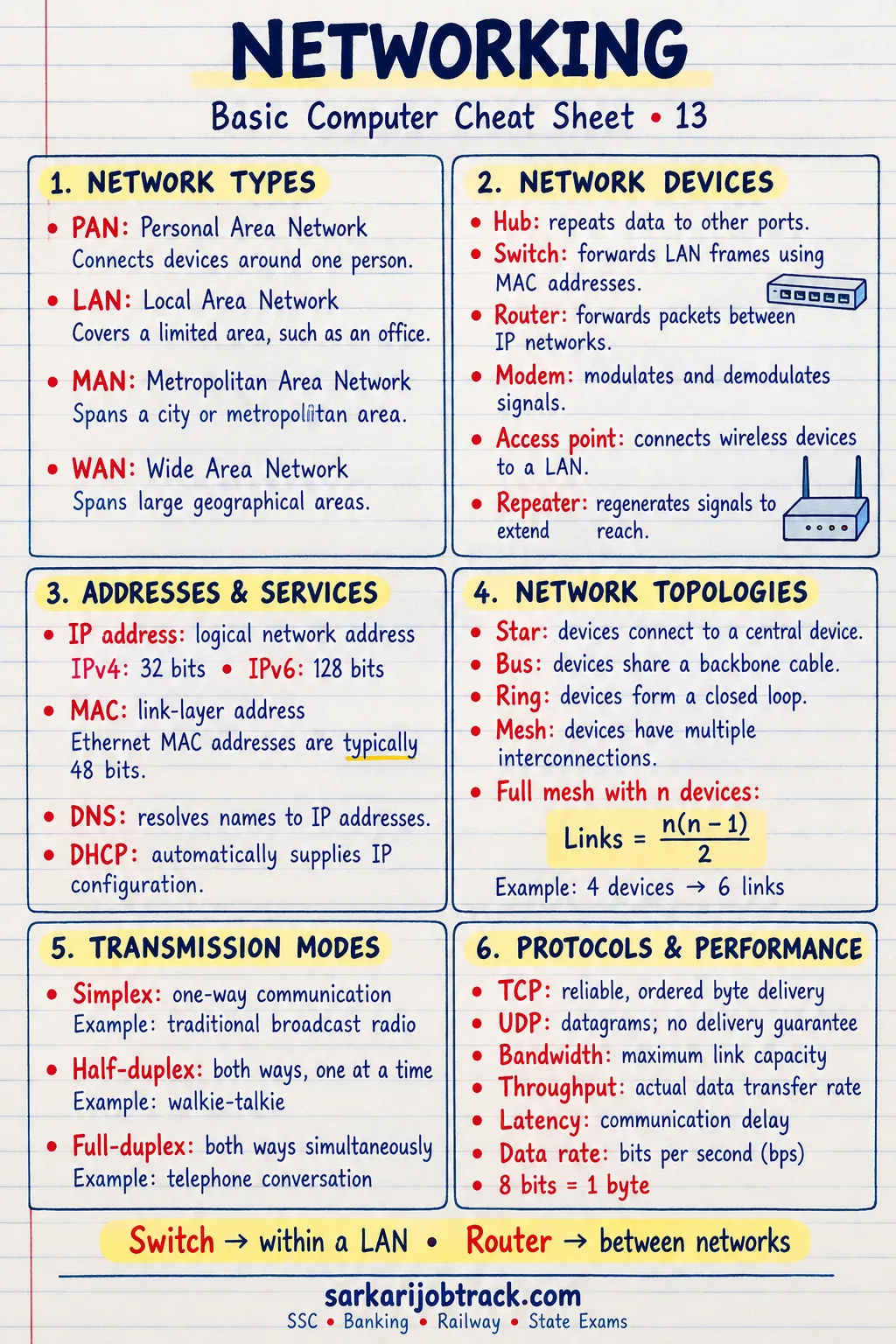
A quick revision cheat sheet on computer networking for SSC, Banking, Railway and state computer-awareness sections. It covers the types of networks PAN, LAN, MAN and WAN, the common topologies, networking devices like the hub, switch, router and modem, wired and wireless transmission media, and the full forms most often asked in exams.
Networking Essentials Cheat Sheet
Quick Revision
A computer network is two or more computers connected together to share data, software and hardware (such as a printer). Networks are grouped by the area they cover and the shape in which they are joined.
Ready to practise? Take the Networking quiz
1. Types of Networks (by area)
| Network | Full form | Area covered |
|---|---|---|
| PAN | Personal Area Network | Around one person (Bluetooth) |
| LAN | Local Area Network | One building or office |
| MAN | Metropolitan Area Network | A city |
| WAN | Wide Area Network | Country or the whole world |
The internet is the largest example of a WAN.
2. Network Topologies
The topology is the shape in which devices are connected.
| Topology | How it is arranged |
|---|---|
| Bus | All devices share one main cable |
| Star | All devices connect to a central hub/switch |
| Ring | Each device connects to two others in a loop |
| Mesh | Every device connects to every other |
| Tree | A hierarchy, like branches of a tree |
Star topology is the most common in offices today.
3. Networking Devices
| Device | What it does |
|---|---|
| Hub | Joins devices; sends data to all ports |
| Switch | Joins devices; sends data only to the right port |
| Router | Connects different networks; finds the best path |
| Modem | Converts digital to analog signals and back |
| Bridge | Joins two LANs into one |
| Repeater | Boosts a weak signal over distance |
| Gateway | Connects two networks that use different rules |
| NIC | Network Interface Card — lets a PC join a network |
A switch is smarter than a hub because it sends data only where it is needed.
4. Transmission Media
Wired (guided):
- Twisted pair cable — common LAN cable.
- Coaxial cable — older, used for cable TV.
- Optical fibre — glass, very fast, carries light.
Wireless (unguided):
- Radio waves, microwaves, infrared, satellite.
- Wi-Fi and Bluetooth are wireless.
Optical fibre is the fastest wired medium.
5. How Networks Are Organised
- Client-server — one powerful computer (server) serves many clients.
- Peer-to-peer (P2P) — all computers are equal and share directly.
Devices on a network are identified by their IP address, and the internet runs on the TCP/IP protocol.
6. Common Full Forms
| Term | Full form |
|---|---|
| LAN | Local Area Network |
| WAN | Wide Area Network |
| NIC | Network Interface Card |
| TCP/IP | Transmission Control Protocol / Internet Protocol |
| Wi-Fi | Wireless Fidelity |
7. Exam Quick Tips
- Order by area, smallest to largest: PAN → LAN → MAN → WAN.
- A hub sends to all ports; a switch sends only to the correct port.
- A router connects different networks; a modem converts signals.
- Optical fibre is the fastest wired medium; the internet is the biggest WAN.
Keep revising with the rest of the Basic Computer section:
How this was made: Drafted with AI assistance; spot-checked by the editor on 31 October 2026.